
🎬 Stream 30,000+ channels in 4K
I remember staring at my Firestick screen, completely confused. I desperately wanted to upgrade my streaming player, but there was no payment button anywhere on the TV menu. It honestly felt like a cruel software joke.
I quickly learned a frustrating technical truth. Amazon devices do not natively support the Google Play Store. Because the developer processes all premium payments through Google's payment gateway, you simply cannot buy the upgrade directly through a Firestick.
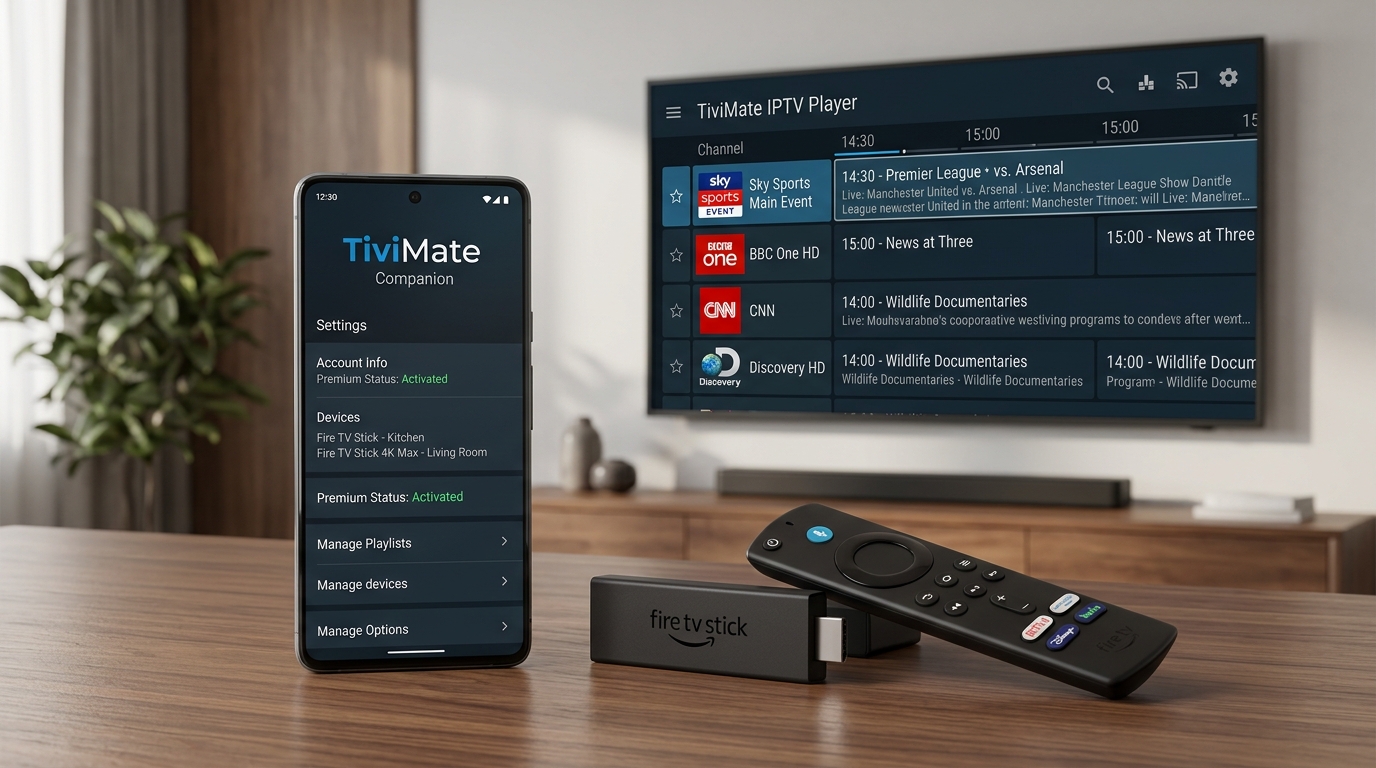
Therefore, you must use the TiviMate Companion app. This secondary software acts as a bridge, allowing you to pay for your license on a phone and instantly unlock the features on your television. If you are stuck in the free version, here is how to upgrade your living room today.
Why You Actually Need the Companion Software
The Companion app is not a video player. If you try to load an M3U playlist into it, nothing will happen.
Instead, it is purely a license management tool. According to Wikipedia’s technical breakdown of Android application development, Google requires in-app purchases to flow through their secure Play Store architecture. The Companion app simply authenticates your payment and registers your devices to a central cloud server.
A single $33.99 lifetime payment (or $9.99 annually) grants you five device slots. Consequently, you can manage your bedroom TV, living room Firestick, and travel tablet all from one simple phone interface. If you are wondering whether the upgrade is worth the cost, you can review the full feature list in our TiviMate Premium Subscription Guide.
Step-by-Step: Unlocking Your TV
Getting everything synced feels like pairing a new smart home device. It takes about three minutes if you follow the correct sequence.
1. Secure an Android Device
You must use an Android phone or tablet to complete this purchase. If you only own an iPhone, you must download a free Android emulator like BlueStacks on your Windows PC or Mac to bypass the restriction.
2. Download the Manager
Open the Google Play Store on your mobile device. Search for the TiviMate Companion app and download it. Ensure you are downloading the official tool created by Armobsoft FZE.
3. Create Your Cloud Account
Open the software and click "Sign Up." Enter a valid email address and create a secure password.
Here is a lesson I learned the hard way: I initially used a random throwaway email to register. When I later tried to authorize a second TV, I completely forgot the login. Always use your primary email address.
4. Process Your Payment
Choose either the yearly subscription or the lifetime tier. Google Pay will securely process your credit card or PayPal transaction.
5. Authorize Your Firestick
Now, turn on your television. Open the main player app on your Firestick and navigate to Settings > Unlock Premium. Enter the exact email and password you just created on your phone. Your advanced features will activate instantly. If you need help getting the base application onto your Amazon device first, follow our complete Install TiviMate on Firestick Guide.
What Happens After You Go Premium?
Upgrading your software is only the first half of the equation. TiviMate is merely an empty shell. It requires a high-speed data feed to actually display live television and movies.
Once your menus are unlocked, you must feed the player a reliable, buffer-free connection. I highly recommend pairing your newly upgraded software with one of our Tivimate Premium IPTV Subscriptions. We engineer our servers specifically to handle the intense multi-view and catch-up data requests that this premium application demands.
Have you successfully unlocked your Firestick? If you are stuck at the payment screen or need an instant premium connection, reach out directly to our WhatsApp Live Support for immediate human assistance!